Physical Address
304 North Cardinal St.
Dorchester Center, MA 02124
Physical Address
304 North Cardinal St.
Dorchester Center, MA 02124
The old way of conceptual design is dead.
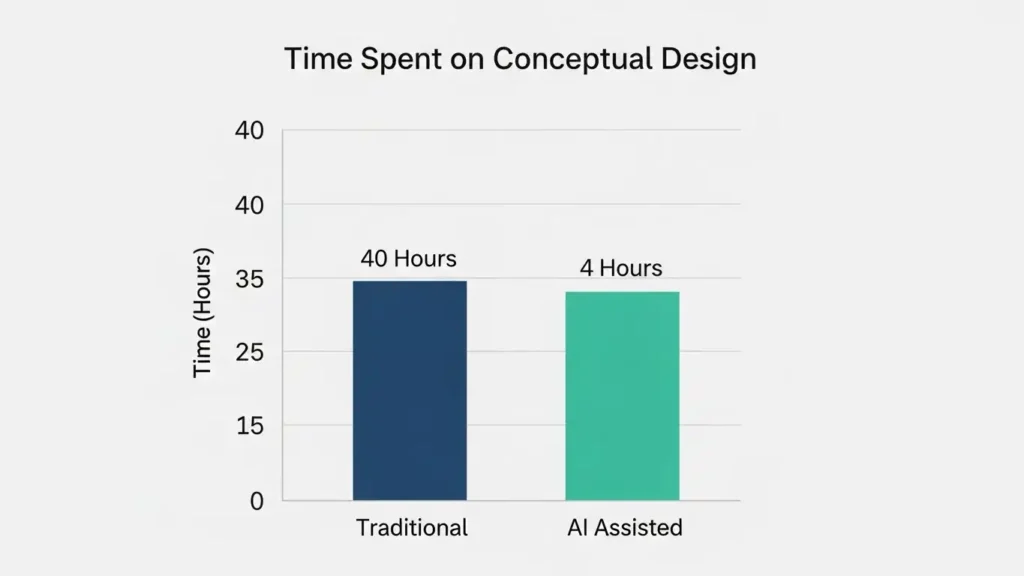
In the past, conceptual design meant spending weeks on hand sketches, mood boards, and arguing over abstract ideas. It was slow, expensive, and often led to “safe” choices.
In 2026, AI has flipped this process upside down.
Now, instead of imagining a concept, you can generate 50 variations of it in minutes. Tools like Midjourney, Vizcom, and Uizard allow designers to skip the “blank canvas” paralysis and move straight to visual problem solving.
In this guide, we will walk you through the 4 Stages of the Modern Conceptual Design Process—and the exact AI tools you should use at every step.
In this phase, you answer the “What?” and “How?” questions. You aim for clarity while keeping options open.
Two complementary perspectives:
How it differs from detailed design:
Keywords to remember: Ideation, Feasibility, Abstract to Concrete, Constraints.
As mentioned earlier, conceptual design blends creativity with technical limitations. For tools to help balance both sides, check out our guide on Top Graphic Design Tools Every Creative Needs in 2026.
The Old Way: Writing a text-based creative brief that everyone interprets differently. The AI Way: Visualizing the brief instantly.
Before you even start designing, use AI to visualize the client’s words. If a client says “Future-Retro Coffee Shop,” don’t guess. Type that exact phrase into Midjourney or Ideogram.
- Tool to use: [Ideogram] (for typography-heavy concepts) or Midjourney v6 (for mood).
- Output: A “Visual Brief” containing 5-10 AI-generated images that define the style before you open Photoshop.
The Old Way: Spending 10 hours scrolling Pinterest and Behance. The AI Way: Automated Pattern Recognition.
Instead of manually hunting for trends, use AI tools to analyze millions of designs instantly.
- Tool to use: Visual Electric (for brainstorming infinite variations of a specific style).
- Pro Tip: Don’t just look for “logos.” Look for textures, lighting, and architectural forms that can inspire your logo.
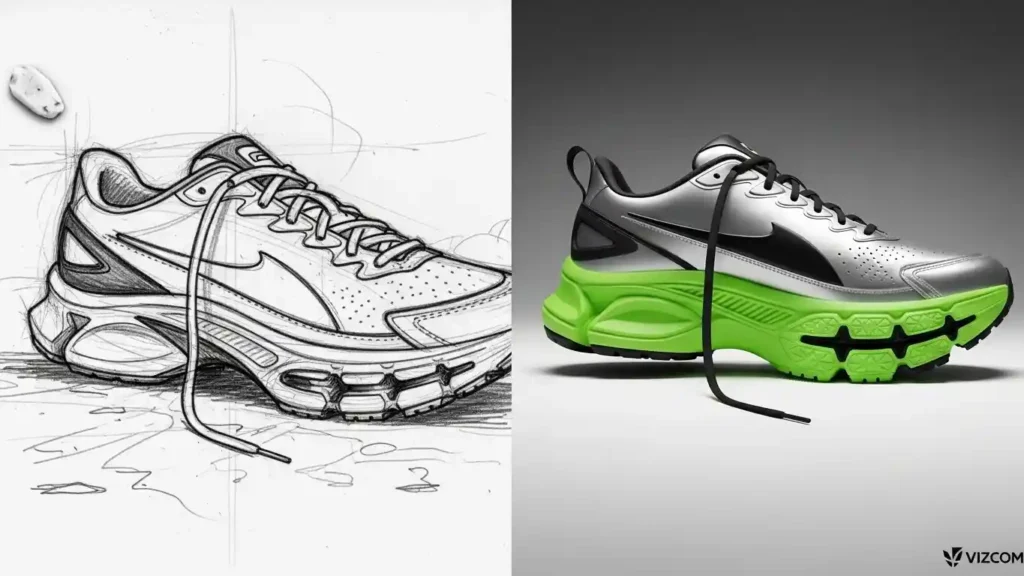
The Old Way: Sketching on a napkin, scanning it, and spending 5 hours rendering it in Illustrator. The AI Way: Sketch-to-Image Generation.
This is the biggest game-changer. You can now take a rough pencil sketch and turn it into a high-fidelity 3D render in under 30 seconds.
- Tool to use: Vizcom or Krea AI.
- How it works: Upload your rough sketch, describe it (e.g., “A futuristic Nike shoe, neon lights”), and the AI paints over your lines with photorealistic textures.
- Want to see what styles are trending? Check out our report on 7 Logo Design Trends Dominating 2026.
The Old Way: Manually tracing pixelated images with the Pen Tool. The AI Way: One-click Vectorization.
Once you have an AI concept you like, it is usually a flat JPEG. You need to make it editable.
- Tool to use: Vectorizer.ai or Adobe Illustrator (Text to Vector).
- The Result: A fully scalable SVG file that is ready for client delivery.
Skipping conceptual design is a false economy. Here’s what you gain when you do it properly:
Bold truth: Investing 5–10% of project time in solid conceptual design typically saves 30–70% of rework costs later. If you’re not doing conceptual design, you’re paying for it indirectly.
A brutal test: If you can’t write a one-paragraph reason the chosen concept is expected to succeed (with a testable assumption), you’re not ready for detailed design.
Conceptual design connects ideas with action. It turns unclear goals into clear plans, lowers risks, and encourages innovation while facing real-life challenges. It’s not just a fun activity; it’s a smart approach that pays off greatly.
Don’t skip this step. If your team often overlooks conceptual design, you’re prioritizing quick results over lasting value. Spend time on it at the start. Projects that begin with a strong conceptual phase finish on time, stay within budget, and face fewer surprises.
Remember: View conceptual design as a key business tool, not just a creative task. It’s the foundation that helps great ideas thrive in the real world.