Physical Address
304 North Cardinal St.
Dorchester Center, MA 02124
Physical Address
304 North Cardinal St.
Dorchester Center, MA 02124
Most small business owners treat logo design as a one-time, unavoidable expense.
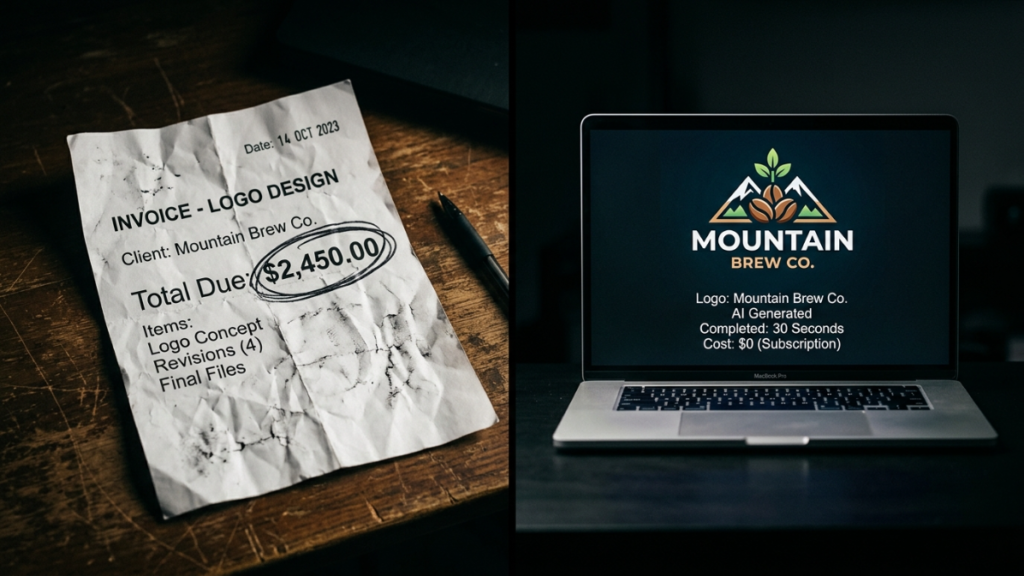
You find a freelancer, spend anywhere from ₹10,000 to ₹60,000, wait two weeks for revisions, and walk away with something that may feel outdated within a year.
There’s a faster, cheaper, and often better alternative: an AI logo generator.
Here’s a clear-eyed look at what you’re actually paying for – and how to fix it.
When you commission a logo from a freelancer, you’re paying for their time — not always their expertise in your specific market or industry.
Most designers use the same tools you could access yourself: Illustrator, Canva, or a template library. They ask a few questions, browse references, and charge a premium for the process.
An AI logo generator does the same thing — without the invoice or the waiting.
Tools like the AI logo generator on LogoAI Tool let you enter your business name, select an industry, pick a visual style, and generate dozens of professional options in under a minute.
Each output includes color variants, font pairings, and scalable vector files – ready for print, web, and social.
A mid-range freelance logo in India costs between ₹8,000 and ₹40,000, depending on the platform and the designer’s experience. That price typically covers:
What’s usually not included: SVG/EPS source files, brand kit, social media variants, favicon versions, or a transparent-background PNG.
With a good AI logo generator, all of those formats come standard. Most platforms offer a free tier to start, and paid plans rarely exceed ₹2,000–₹5,000 for lifetime access to your files.
Modern AI logo tools aren’t just shuffling templates. They use generative design algorithms trained on thousands of professional logo styles, typography combinations, and color systems.
The process on most platforms takes 5–15 minutes:
No brief, no back-and-forth, no revision wait time.
One issue that shows up regularly in branding audits: logos built by freelancers often break at small sizes — on favicons, mobile app icons, and embroidery mockups.
AI logo generators are built with scalability as a core requirement. Every output is vector-first, which means it looks sharp at 16px and 1600px alike.
They’re also tested for practical use cases:
According to industry data, AI-powered tools have reduced logo design turnaround by up to 50% as of 2026, and an estimated 40% of small businesses already use some form of AI in their visual branding workflow. That number is only going up.
AI logo tools aren’t a replacement for every situation.
If you’re a large enterprise running a strategic global rebrand, you’ll want a brand consultancy with research capability. If you need custom hand-lettering, bespoke illustration, or a mascot built from scratch, a human designer is the right call.
But for the majority of small businesses, solopreneurs, and early-stage startups — AI delivers 80–90% of the output at 5–10% of the cost.
Don’t just select “Business.” Choose “Health & Wellness,” “Legal Services,” or “Tech Startup.” Output quality improves significantly when the AI has a narrower brief.
Changing too many fonts and colors at once leads to visual conflict. Lock in a base style first, then make small targeted adjustments.
Even if you only need a PNG today, grab the SVG and PDF. You’ll need them later for print, merchandise, or app icons — and re-downloading often costs extra.
Paste your logo into a mock business card, website header, and social profile image. Most AI tools offer a brand mockup preview built in — use it.
Your logo doesn’t need to cost a month’s revenue.
AI logo generators in 2026 are fast, affordable, and capable of producing brand-quality work that holds up across every platform — digital, print, and social.
If you haven’t tried one yet, start with LogoAI Tool. Generate your first logo free — no design experience required, no credit card needed.