Most people buy a logo maker subscription in the first five minutes. Then they hit the download wall.
DesignEvo has over 10,000 templates. That number sounds great until you realize most of them are locked behind a paywall you don’t see coming.
I spent a few hours actually testing DesignEvo – not skimming the homepage. Here’s what matters before you pull out your card.
1. The Free Version Isn’t Really Free
You can design a full logo without paying a cent. Pick a template, edit colors, swap fonts, add icons. Looks done.
Then you click download. Surprise: low-res PNG with a watermark, or a paywall for anything usable. The “free” experience is really a free preview.
Old way: you assume free means free, waste an hour designing, hit the paywall at the end. New way: know going in that you’re designing on a trial, not a tool.
2. Pricing Is Per-Logo, Not Per-Account (Mostly)
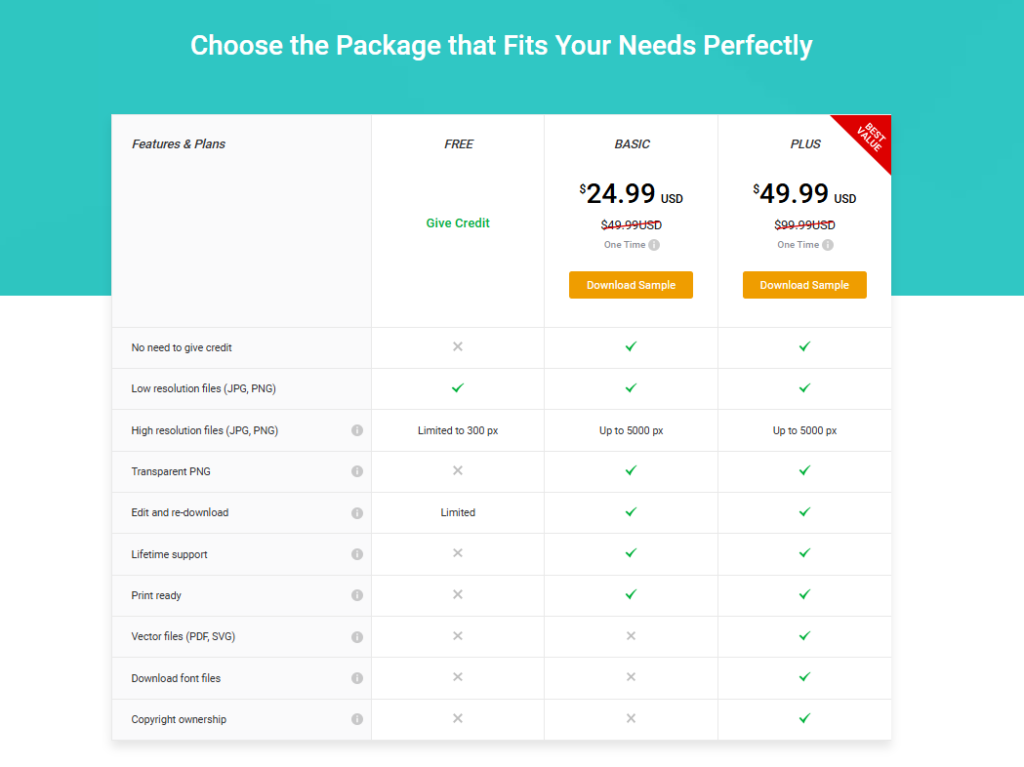
DesignEvo sells single-logo downloads starting around $24.99, plus subscription plans if you need multiple logos or ongoing edits.
If you need one logo, one time – the single download makes sense. If you’re an agency making logos for clients every month, the math flips fast. Do the volume math before you commit.
3. The Templates Are Good. The Uniqueness Is Not.
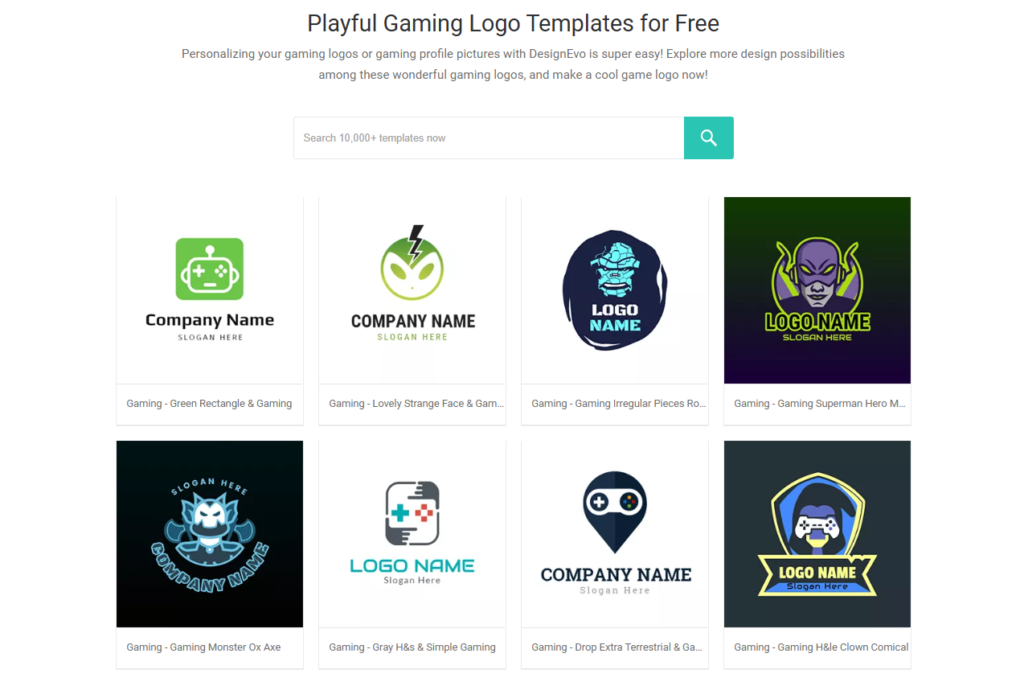
Here’s the part nobody tells you: these templates are shared across thousands of users.
Your “custom” logo is a recolored version of a template someone else already used. Maybe someone in your own niche. That’s the tradeoff with every AI/template logo tool – DesignEvo isn’t unique here, but it’s not hiding it either.
If brand distinctiveness matters – a real business, not a side hustle – a template tool is the wrong starting point. Same complaint shows up in our Gradually AI review – most AI logo tools dangle “free,” then paywall the download, and the underlying template pool is more shared than advertised.
4. Editing Is Genuinely Easy
This part deserves credit. The editor is drag-and-drop, no design skill required. Change icons, fonts, layouts, colors – all in a browser, all in real time.
Compare that to Illustrator: steep learning curve, weeks to get comfortable. DesignEvo: 15 minutes, done.
For non-designers who need something presentable fast, this is where DesignEvo earns its price.
5. File Formats Depend on What You Pay
Basic plan: PNG only. Higher tiers unlock vector files (AI, EPS, SVG), transparent backgrounds, and full ownership rights.
This matters more than people think. If you ever want to print the logo on a sign, a shirt, packaging – you need vector, not raster. A PNG will look blurry the moment you scale it up.
Check the plan’s file list before buying. Not after.
6. Copyright Ownership Isn’t Automatic
With the free and basic tiers, you’re often licensing usage rights, not owning full copyright. Full ownership typically requires the higher-tier plans.
If you’re building a brand you plan to trademark, read the licensing terms on the exact plan you’re buying. Don’t assume.
7. Customer Support Is Slow
Multiple users report slow response times on support tickets – especially refund requests. If something breaks in your account or a payment goes wrong, budget for a wait.
Not a dealbreaker. Just don’t expect same-day answers.
Where DesignEvo Is Actually Good
Fast logo creation for small businesses, personal projects, or MVPs that need something presentable without hiring a designer. The editor is intuitive. The template library is genuinely large. For $20-ish and 15 minutes, you get a usable logo. That’s the same bar we used when ranking AI logo makers for Etsy sellers – speed and affordability over uniqueness.
Where It Falls Short
Uniqueness. Ownership clarity. Support speed. If you need a trademark-ready, one-of-one brand mark, this isn’t that tool – and it was never trying to be.
Where to Start
If you’re testing an idea or need a placeholder logo this week: DesignEvo works. Use the free editor, check the exact file formats and license before you pay, and stop there.
If you’re building something you’ll still be running in three years – save the $20 and hire a designer instead.