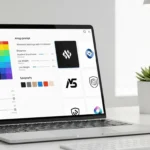
An AI-driven logo maker, Logopony promises to let you “make your own logo with AI” in seconds. Its homepage boasts “1000’s of custom logo designs” generated instantly from a brand name.
In use, you simply enter your business name (and optional slogan), and the AI spits out dozens of polished logo concepts optimized for web, social media or print.
Logopony uses a one-time payment model: you can design logos for free, but must buy a plan to download any files. Basic costs $20 and Premium $60 (currently on sale from $85).
Each purchase grants lifetime access with unlimited edits and re-downloads. In short, Logopony targets small businesses and startups who want a quick, low-cost branding solution without monthly fees.
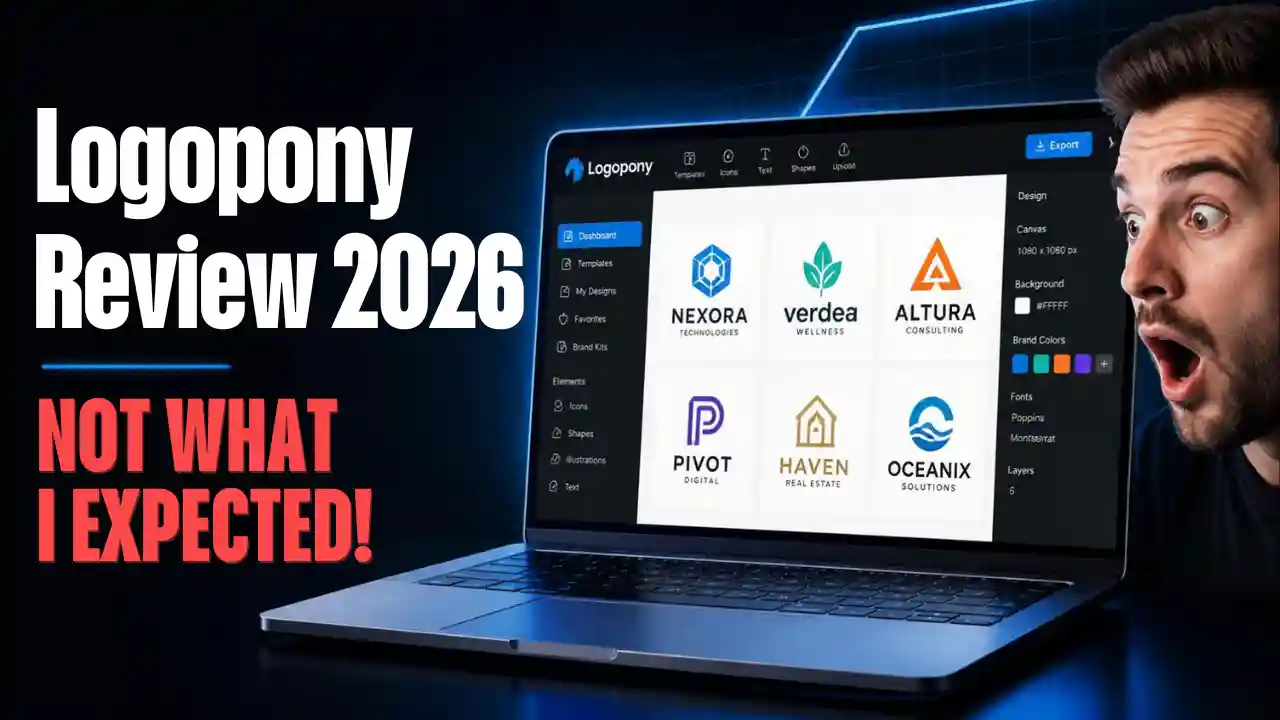
Logopony’s homepage invites you to enter your company name and “generate logos” instantly. The AI then produces hundreds of designs tailored to your inputs.
Key Features
Instant AI logo generation. Logopony’s engine (trained on real professional designs) can whip up dozens of logo ideas in seconds. Testers reported “dozens of usable options within seconds” after typing in a name. You can browse and filter these ideas by industry, color palette or icon style, then “save your favs” into a lightbox for later editing.
Simple, step-by-step workflow. You start by entering your brand name (and optional slogan), then choose general style settings (e.g. strict vs playful). Hit “Generate Logos” and the system instantly populates your screen with dozens of custom designs. Each design is fully editable: you can click on colors, fonts or layouts and tweak them using the built-in editor. No design skills are required; everything from font swaps to repositioning icons is done through an intuitive interface.
Unlimited edits & re-downloads. Every paid plan includes lifetime access to your logo. You can change fonts, colors or layouts at any time and download fresh files over and over. This is a big plus – unlike some generators, Logopony doesn’t lock you out after one download. Once you pay, you own the logo and can tweak it forever.
Comprehensive branding kit. The Premium plan supplies over 30 ready-to-use assets per logo. You get multiple file formats (EPS, PDF, SVG vectors plus PNGs), alternate color versions (black/white/inverted), and a social media image pack. It even creates print-ready business card layouts and watermark stamps. In effect, a single Premium purchase delivers an entire brand package — logo files sized for web and print, complete with color codes and fonts used.
Sample logo from Logopony (above) demonstrating its clean style. Each design is unique – the engine isn’t just pasting templates together. In fact, the ML-powered generator was “trained on professional designers” to produce logos that feel custom.
Another example output (‘Elsie Nails – Manicure’, above) shows Logopony’s design aesthetic: bold yet simple graphics.
Note how Logopony applies thematic elements (floral motif here) automatically. Importantly, every purchase includes “30+ branding assets” – alternate color versions, mockups, and ready-made social-media headers.
Pricing Plans
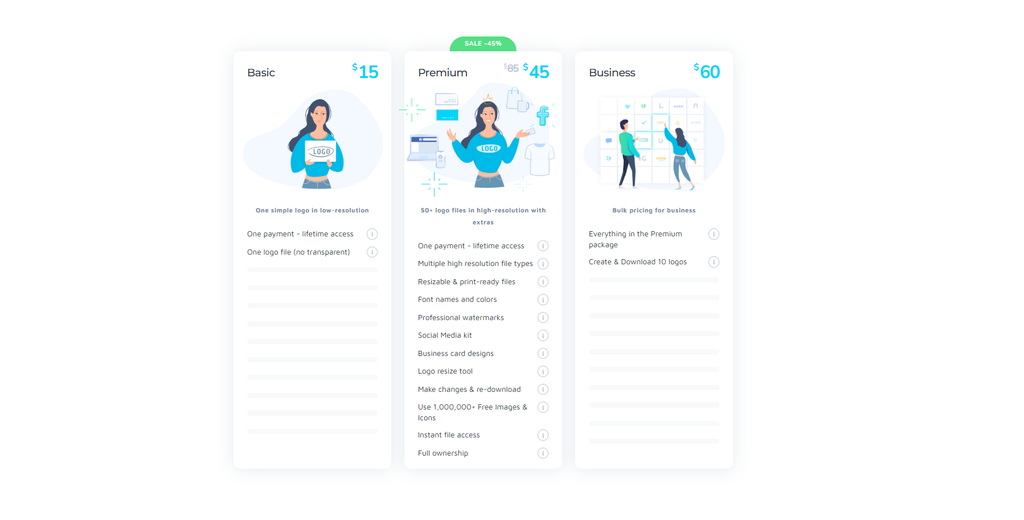
Logopony offers only one-time purchases (no subscriptions). You can play with the logo generator for free, but to actually get files you must buy a plan.
Basic ($15 one-time): Includes one logo file (1000px PNG) on a solid background (white or chosen color). No transparency or vector formats, just a simple low-res logo image. (Perfect if you only need a small web logo or just want to test the tool.) You also get lifetime editing of that design.
Premium ($45 one-time): Everything in Basic, plusover 50 files per logo. This includes EPS/PDF/SVG vector files for unlimited resizing, transparent-background PNGs, black/white/inverted versions, plus extra favicons and app icons. You also receive 40+ social media graphicsKit (optimized banners for Facebook, Instagram, etc.) and fully-designed business card templates. Your logo comes with font name and color codes for brand consistency, a logo resizer tool, and watermark stamps. Unlimited future edits and re-downloads are included. (Premium is usually $85, but currently discounted to $45.)
Note: There’s a 30-day money-back guarantee, so you can request a refund if you’re unhappy. Keep in mind that designing is free but downloading always costs credits.
Pros 👍 and Cons 👎
Lightning-fast generation: Logopony lives up to its promise of speed. In our experience (and many user reports), it “automatically generated logos…in less than 10 seconds”. Several reviewers noted that a usable logo was ready in just a few clicks, making brainstorming fun and efficient.
Beginner-friendly interface: Most users rave about how easy it is to get started. You don’t need a login or tutorial – just enter your name and play. One G2 user exclaimed “Very Superior Interface for LOGO Designing” and praised the wide choice of fonts and colors. The step-by-step flow (choose theme, colors, then edit) helped novices whip up logos quickly.
Professional brand assets: If you pay, you get a surprisingly rich bundle. Testers highlight the value: for $60 you receive vector files, social media kits and business cards – all “print-ready” and sized appropriately. In fact, Logopony’s Premium plan was judged to offer comparable deliverables to pricier tools like Looka (which charges $65–$80). The inclusion of a full brand kit (with 30+ outputs) is a strong selling point.
Unlimited revisions: Unlike many AI generators, Logopony never locks you out of editing after purchase. You can hop back into the editor anytime and tweak your design at no extra cost. This “lifetime edit access” is a rare benefit that reviewers appreciated.
Paywall for downloads: Perhaps the biggest drawback: you must pay to export any logo. Designing is free, but even low-res downloads require a purchased plan. In other words, it’s impossible to “try and buy” – you can only see designs, not save them, without payment. This caught a few testers off-guard who forgot it was credit-based. One review bluntly noted: “after paying for it, it gives you a bunch of useless files…It’s a scam” (that user’s experience with bad downloads).
Basic plan is very limited: The $20 option may not be very useful for a real business. It only gives a single low-res PNG (1000px wide, colored or white background). There’s no vector or transparent file, so that logo can’t be printed or easily reused. In practice almost everyone who likes a design will need the $60 upgrade for actual use.
Editor has limitations: The built-in editor is functional but not as flexible as some design software. You can change fonts, swap icons and adjust layouts, but freeform manipulation is limited. For example, there’s no way to draw or add custom graphics. Users noted you can’t go back and edit after you’ve downloaded a logo – so you must get everything perfect before purchase. Also, the interface can feel a bit busy; one person commented that with so many panels on screen, it’s easy to be overwhelmed at first.
Mixed support and small-company quirks: As a small Estonian startup, Logopony’s support is limited to weekday hours. Some users reported unhelpful customer service and even failed downloads. A few have complained of receiving unrelated files or being unable to get a replacement logo after payment. These issues aren’t widespread, but they’re worth noting given the “non-refundable unless you ask” model.
Style limitations: Finally, Logopony’s AI tends to produce minimalist, text-and-icon logos. This works great for many businesses (barbershops, coffee shops, tech startups) but falls flat for highly creative or illustrative needs. As one reviewer put it, if you need mascots or very “conceptual” branding, Logopony won’t suffice. All its example logos have a clean, geometric feel (see samples above), which may or may not match your brand vibe.
If you’re exploring more experimental or visually striking styles before committing to a tool, check out our breakdown of 2026 logo design trends with AI prompts, where we cover emerging directions like neo-glassmorphism, electric gradients, and sketch-to-life branding that tools like Logopony may struggle to replicate.
Who Should Use Logopony?
Logopony shines for small teams and solopreneurs on tight budgets who need a simple, professional-looking logo quickly.
If you want to explore more options before deciding, check our latest roundup of the 5 Best AI Logo Generator Which I Testedand includes Logopony, Looka, Hatchful, and several newer players.
On the flip side, designers or larger brands seeking advanced customization or highly creative illustrations might find it too basic. Tools like Canva or Hatchful could also be worth testing depending on your needs.
Also, if you prefer a free option or dislike the pay-to-download model, tools like Canva, Hatchful or Namecheap’s logo makers could be alternatives (though they also come with their own limits).
In a nutshell, Logopony delivers on its promise of quick, AI-generated logos at a fair price. Its speed and ease-of-use are genuinely impressive. For basic branding needs, it can be a real time-saver.
However, don’t underestimate the cons: the need to buy credits for every export and the occasional tech hiccup are real pain points.
If the pros above align with your goals, Logopony is worth a look. Just be prepared for a minimal aesthetic and a paywall for everything beyond the preview stage.
Sources: We based this review on the official Logopony site and hands-on evaluations from tech blogs, as well as real user reviews collected on platforms like G2. Quotations and facts above come from those references, and are linked accordingly. Each point reflects findings from these connected sources.